Academic Tracker
Boletim
- Status
- In use
- Type
- Personal project
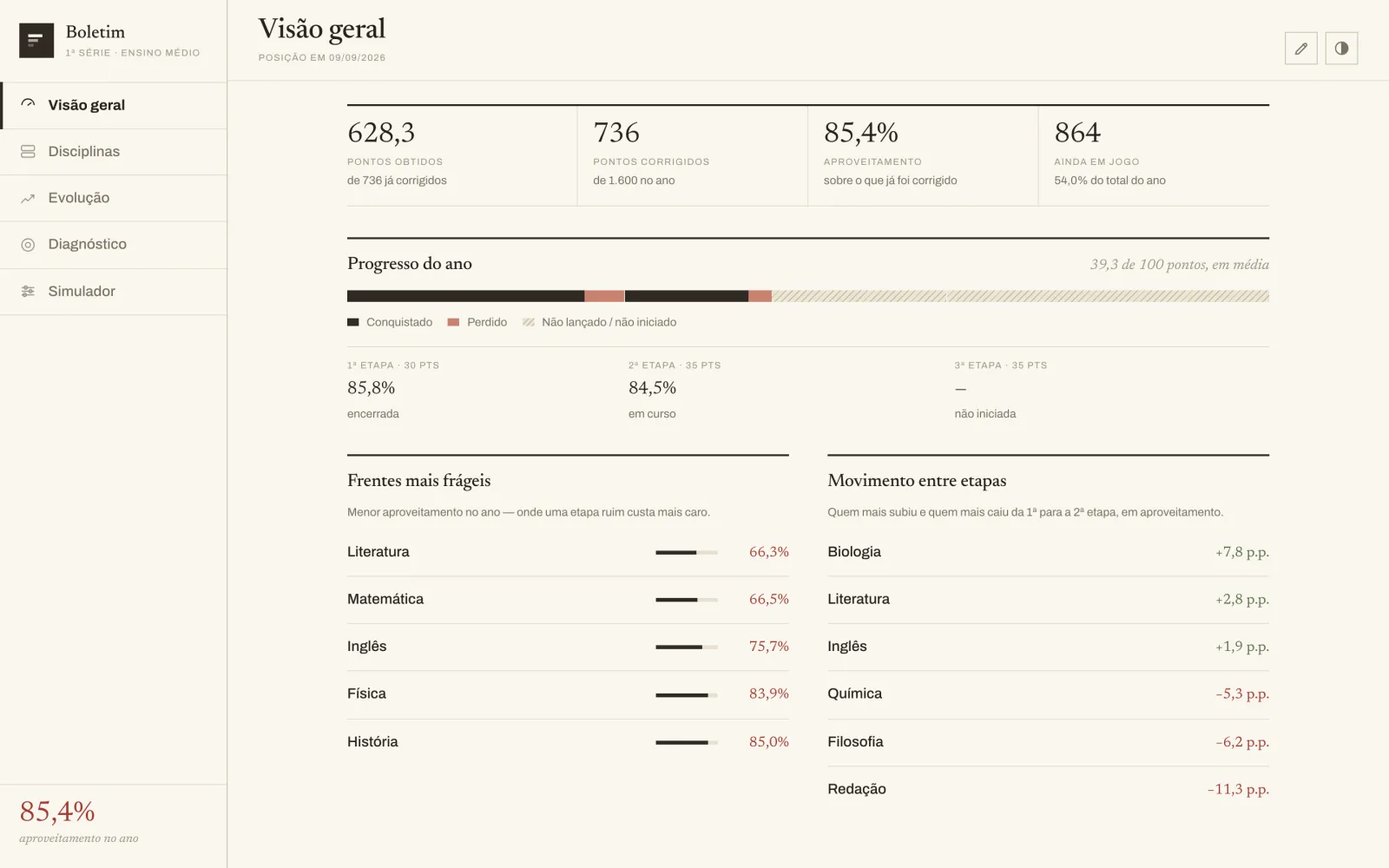
Real Boletim app running with fictional grades. The interface is in Portuguese.
Try it
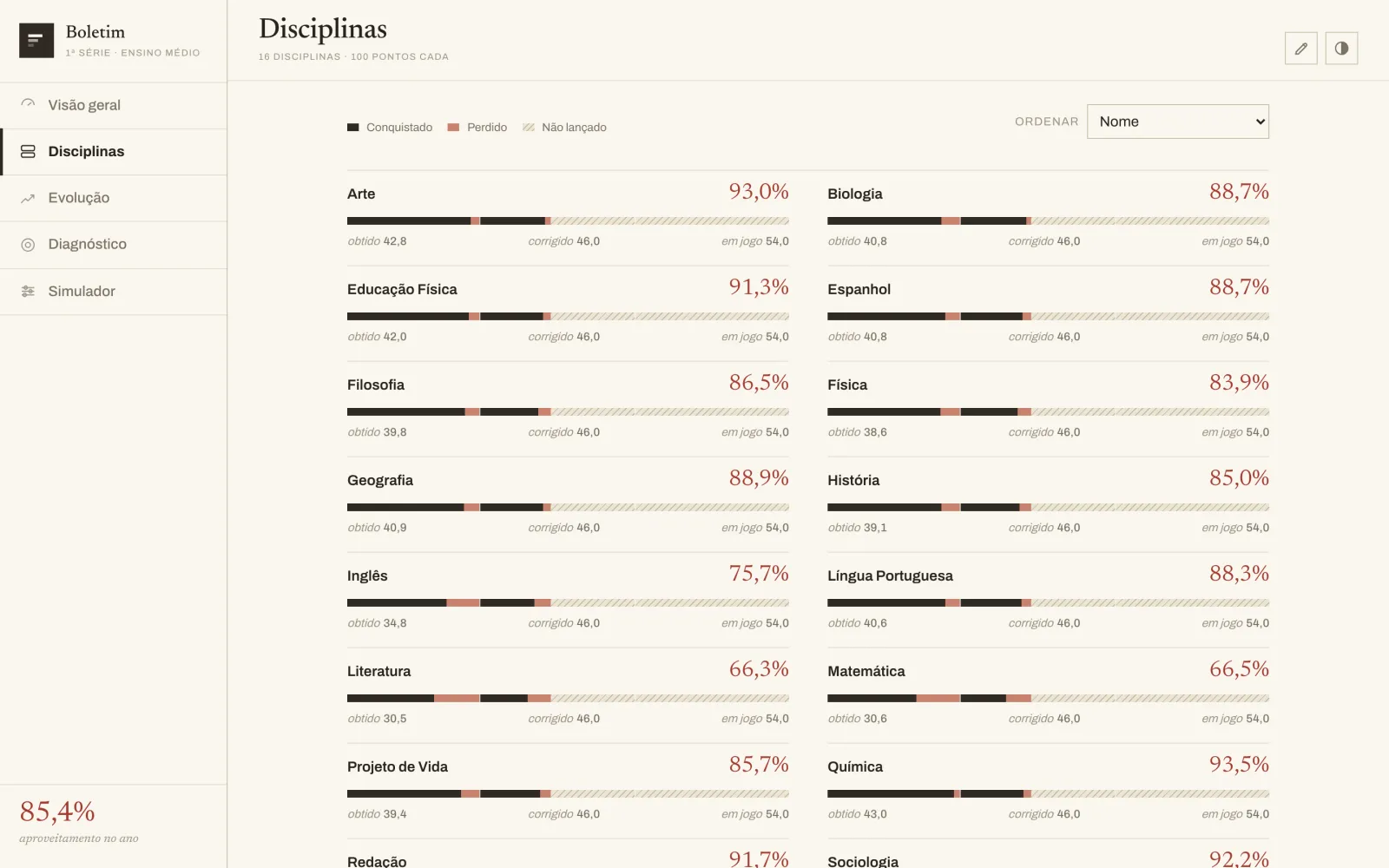
It is the real app, in Portuguese like the original, with fictional grades for the 16 high-school subjects. Under "Lançar notas" (the pencil at the top) you can enter or fix an assessment and watch averages, diagnosis and simulator recalculate. Whatever you change is saved only in this browser.
Problem
On the school portal the grades are scattered and do not show where the risk is or how much is missing for each goal.
Solution
- Fetches the grades from the school portal on its own, on every open
- Shows points earned, performance and what is still at stake
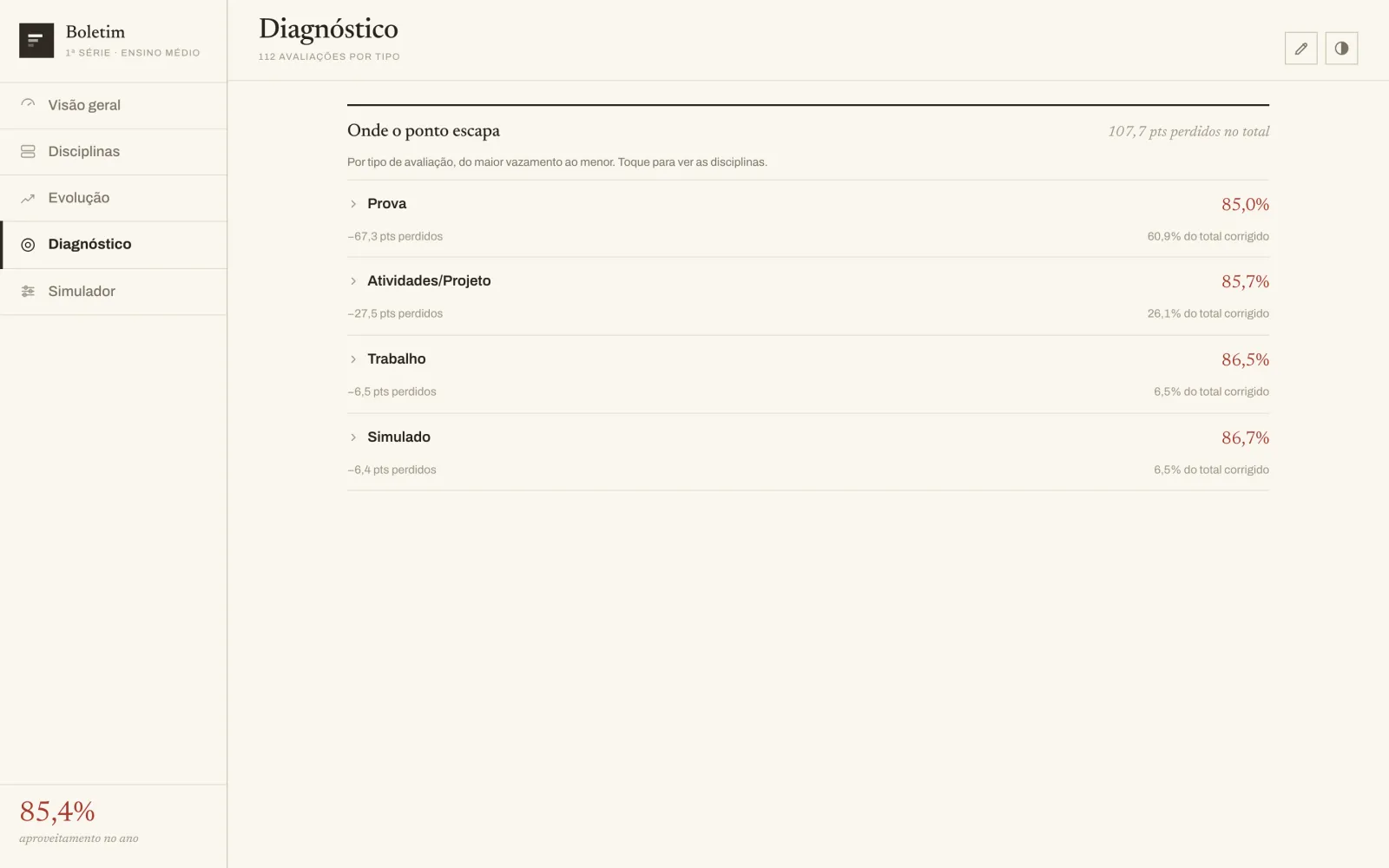
- Diagnosis by type of assessment and by subject
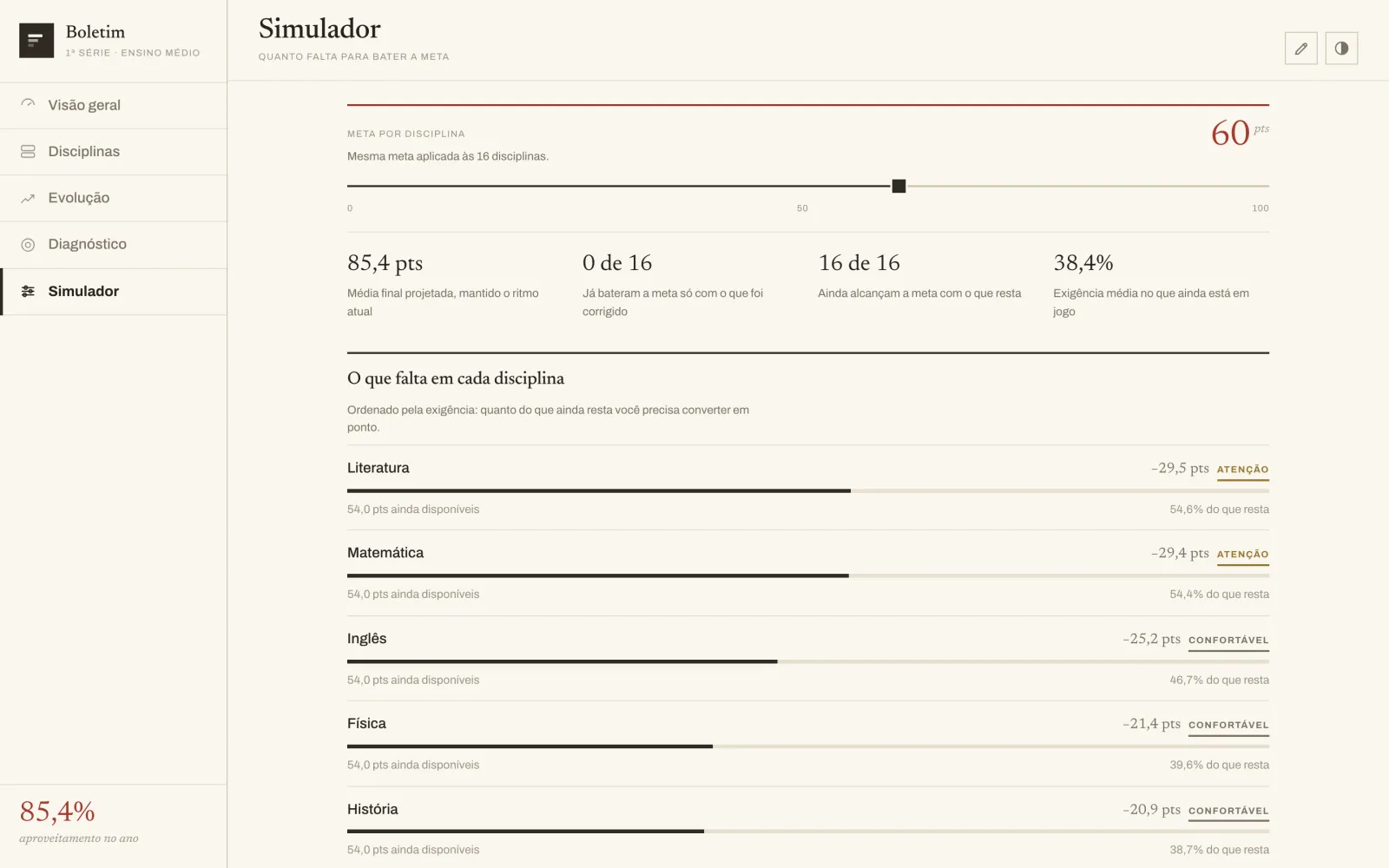
- Simulator: how much is missing in each subject to reach a goal
- Grades entered in the app, without duplicates when the portal publishes
- A second account, with its own look, for my sister
How it works
- 1
Import
The app signs in to the school portal and fetches the entries. Nothing is copied by hand.
- 2
Cleanup
A grade I entered and the portal later published become one. When in doubt, the app asks.
- 3
Calculation
Performance per term, diagnosis by type of assessment and by subject.
- 4
Goals
With a goal from 0 to 100, it shows how much is missing in each subject from what is left.
Connections
How it was built
It started as a spreadsheet with my grades. I developed an app to look at those grades honestly: in the current term, comparing raw scores is misleading, so the number that counts is the score divided by the points already graded.
The first version was a single file, to open without internet. Then it became a published app that adapts to the phone, and finally it started fetching the grades straight from the school portal, without me opening the computer. Figuring out how the portal delivers the grades was the hardest part.
The rule for not duplicating grades was thought through carefully: when I enter an exam and the teacher publishes the same one later, the app merges the two; when the values do not match, it asks instead of deleting. Later it got a second account, with its own look, for my sister to follow her grades. And if the portal does not respond, a banner warns at the top: the app never shows an old grade without saying so.
Where it stands today
Already works
- Fetches the grades from the portal on its own, on every open
- Grade entry without duplicates when the portal publishes
- Diagnosis, progress and goal simulator
- Second account, with its own look, for my sister
Still missing or limited
- Depends on the school portal login: when it expires, a banner warns and the login must be renewed
- Built for my school's scoring rules
My part
I gathered the data, defined the calculation and de-duplication rules, defined the look, and I use the app every day. I developed the programming and the portal connection with AI assistance.